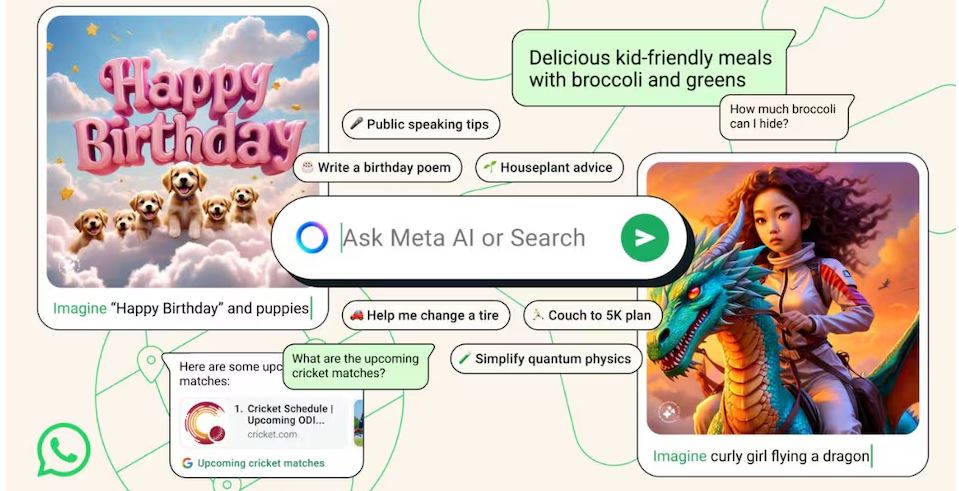
Meta AI is a powerful new chatbot created by Meta, the company behind popular platforms like WhatsApp, Facebook, and Instagram. It is designed to generate human-like responses and assist users in many ways. The bot is built using the latest version of the Llama 3 language model, which helps it understand and respond accurately to a wide range of questions and requests. Its main purpose is to help users by providing quick answers, creating various types of text-based content such as messages, stories, or summaries, and even generating images based on simple instructions. Meta AI can also translate texts into different languages and help summarize long articles, making complex information easier to digest. This blog discusses about How to Use Meta AI in WhatsApp.
Meta AI Power
Right now, Meta AI mainly supports English, but the company is gradually extending its reach. It is currently accessible in several countries, including India, the United States, Australia, the United Kingdom, Canada, Singapore, and others. The rollout is happening in phases, which means not everyone around the world can access it just yet. Some users may need to wait a little longer before they see Meta AI appear in their WhatsApp accounts. This careful rollout aims to make sure the software performs well and remains safe for all users as it becomes available globally.
Work Faster
Meta AI works very well within WhatsApp, a platform known for personal chats and group conversations. Its integration is smooth and easy to use, putting powerful AI capabilities right into everyday messaging. The main goal is to help users work faster and think more creatively. For example, someone might ask Meta AI for help rewriting a message, coming up with ideas for a project, or even designing a quick logo or picture. Privacy is taken seriously, too. When you talk to Meta AI, it only processes the messages you send directly to the bot. It does not see or analyze other parts of your conversation or your personal data, keeping your information safe and private. This article enumerates about How to Use Meta AI in WhatsApp.
Using Meta AI on WhatsApp
Using Meta AI on WhatsApp is simple. To start, open WhatsApp on your Android or iPhone device. Look at the top of your chat screen and tap the Meta AI icon. Doing this opens a new chat window dedicated to your AI interactions. You can then type questions or requests into the chat, just like you would with a friend. For example, ask it questions like “What’s the weather in New York?” or “Help me write a heartfelt birthday message.” Meta AI will respond quickly with relevant answers or suggestions. One popular feature is image generation. To use this, type the word “Imagine” followed by a detailed description of the picture you want. For instance, you might write, “Imagine a sunset over a snowy mountain,” or “Imagine a futuristic city with flying cars.” The system will then create an image based on your description, which you can share or keep for yourself.
Brainstorming
Meta AI is just as useful in group chats. It encourages teamwork, idea sharing, and brainstorming. To use it in a group, first select the chat where you want the AI to appear. Make sure the group settings allow AI access, which can be checked in the chat’s permissions. Next, type the “@” symbol into the message field. A list will pop up showing all participants and the Meta AI chatbot. Tap Meta AI from the list to select it. Then type your question or request, like “What’s the best way to organize our event?” or “Share some creative ideas for the project.” Hit send, and Meta AI will reply within the group chat, making its message visible to everyone. This setup allows multiple people to benefit from the AI’s insights at the same time, fostering collaboration and shared problem-solving.
Summary
Overall, Meta AI turns WhatsApp into a more versatile tool for communication, creativity, and productivity. It brings intelligent assistance directly into everyday conversations, making tasks easier and more efficient. Whether used for individual queries or team projects, the AI is designed to be helpful, easy to use, and private. Its ability to generate images, translate languages, summarize long texts, and answer questions makes it a valuable addition to the messaging app. As Meta continues to expand the platform’s capabilities, more users around the world will be able to explore and benefit from this innovative AI chatbot.